

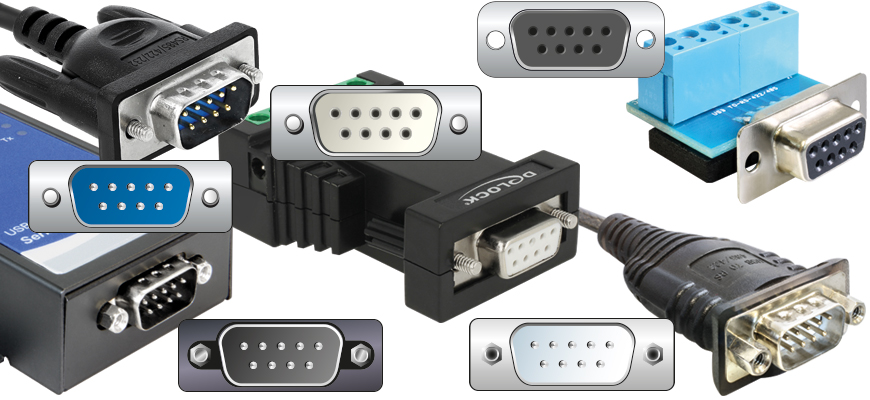

When the Gateway needs to read data from OT devices via the serial port, correctly configuring the Gateway's serial port is the first thing you need to focus on.
Gateway serial port configuration can be divided into two stages:
- Configure Communication Interface Type (RS-232, RS-422, RS-485)
The communication interface type requires the firmware or software provided by the Gateway manufacturer. This article will explain how to configure it. - Configure communication transmission specifications (e.g., Baud Rate, Start Character, Stop Character)
Communication transmission specifications can be configured through Gateway Management in NeoEdge Central. Please refer to the YouTube tutorial video.
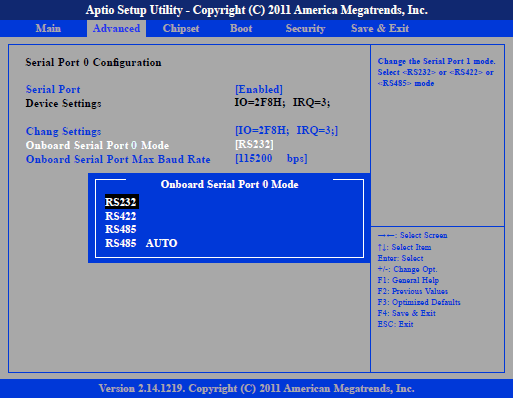
Configure communication interface type (RS-232, RS-422, RS-485) via BIOS settings
Most industrial computer manufacturers only allow communication interface types to be changed via BIOS, which means that before a Gateway is deployed to an OT site, you need to confirm that the serial port communication interface of each Gateway has been correctly configured.
Step 1, restart the Gateway, enter BIOS settings
Step 2, select Advanced from the main menu to enter the Advanced settings (most BIOSes categorize serial port settings under Advanced).
Step 3, select iManager Configuration or Super IO Configuration (different BIOS versions may have different entry points).
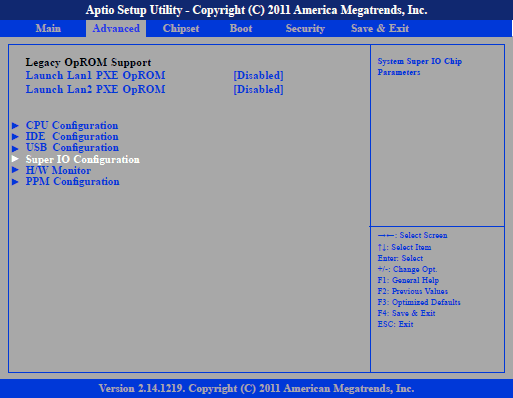
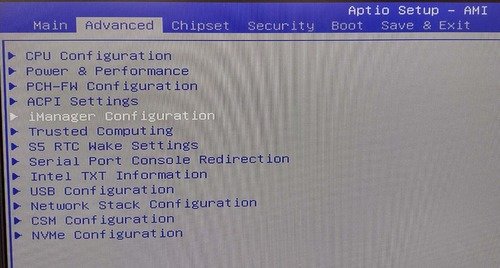
Step 4, select Serial Port ID (1,2…), change settings
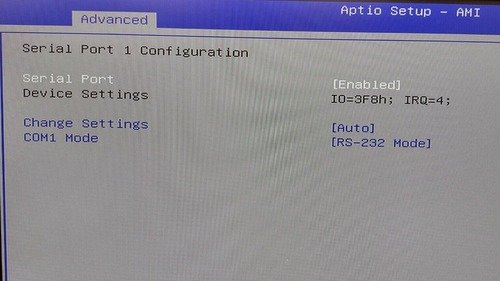
Through software, set communication interface type (RS-232, RS-422, RS-485)
A few industrial computer manufacturers (e.g., Moxa) offer software utilities that allow you to change settings from the operating system. When combined with NeoEdge Central remote login, you can change serial port communication interface types as needed, at any time.
Step 1, download Moxa Industrial Linux User Manual
Step 2, Configure using MCIM (Moxa Computer Interface Manager)
$ mx-interface-mgmt serialport                             # List all serial ports
$ mx-interface-mgmt serialport            # Show detailed information
$ mx-interface-mgmt serialport  set_interface   # Set interface